What will I look like when I’m older?
Upload a photo of yourself and see you at 50, 70 or 80 — or add your partner and see the two of you grow old together. AI age progression that keeps your own face. The first preview is free, no sign-up, and your photos are gone within 24 hours.
Preview age
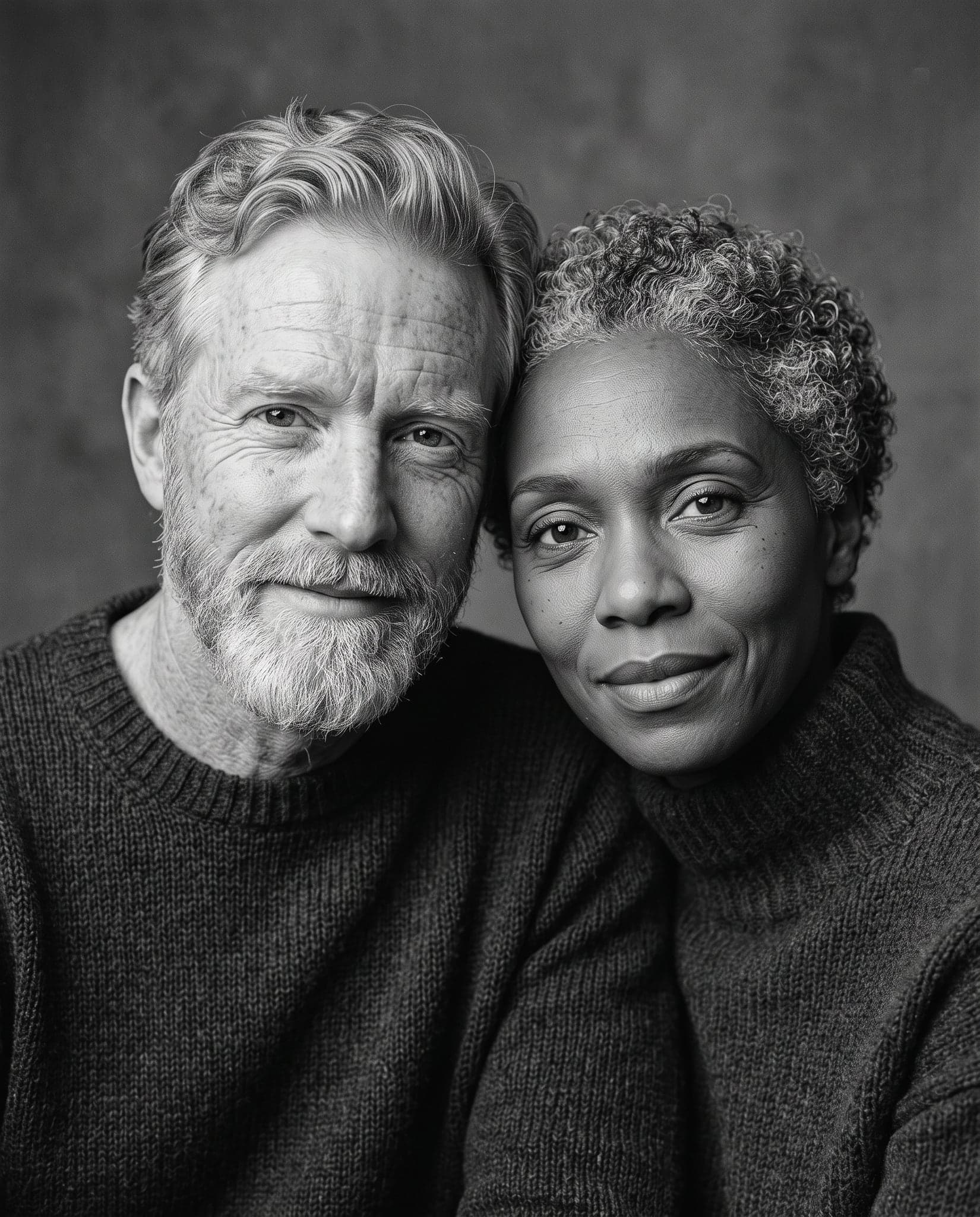
The full set has every age: about 50, 60, 70, 80 and 90, plus a black-and-white portrait at 70.
First preview free, no sign-up. About 30 seconds. Photos are deleted within 24 hours and never used to train AI.
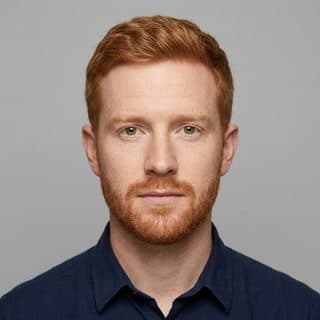
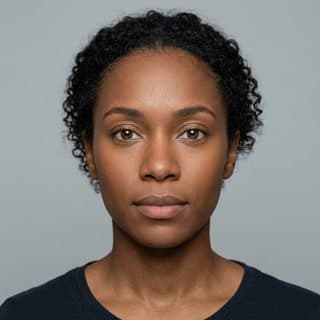
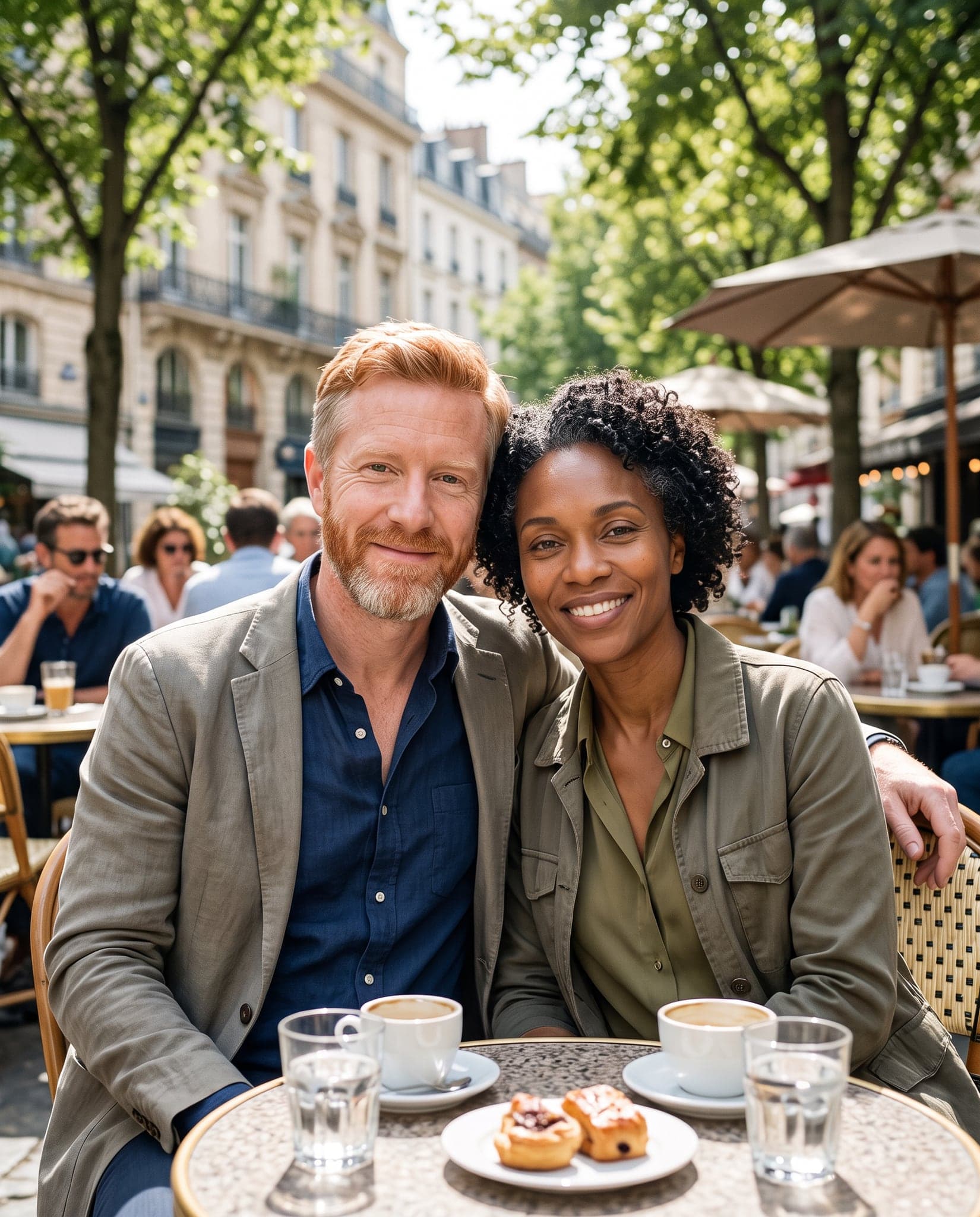
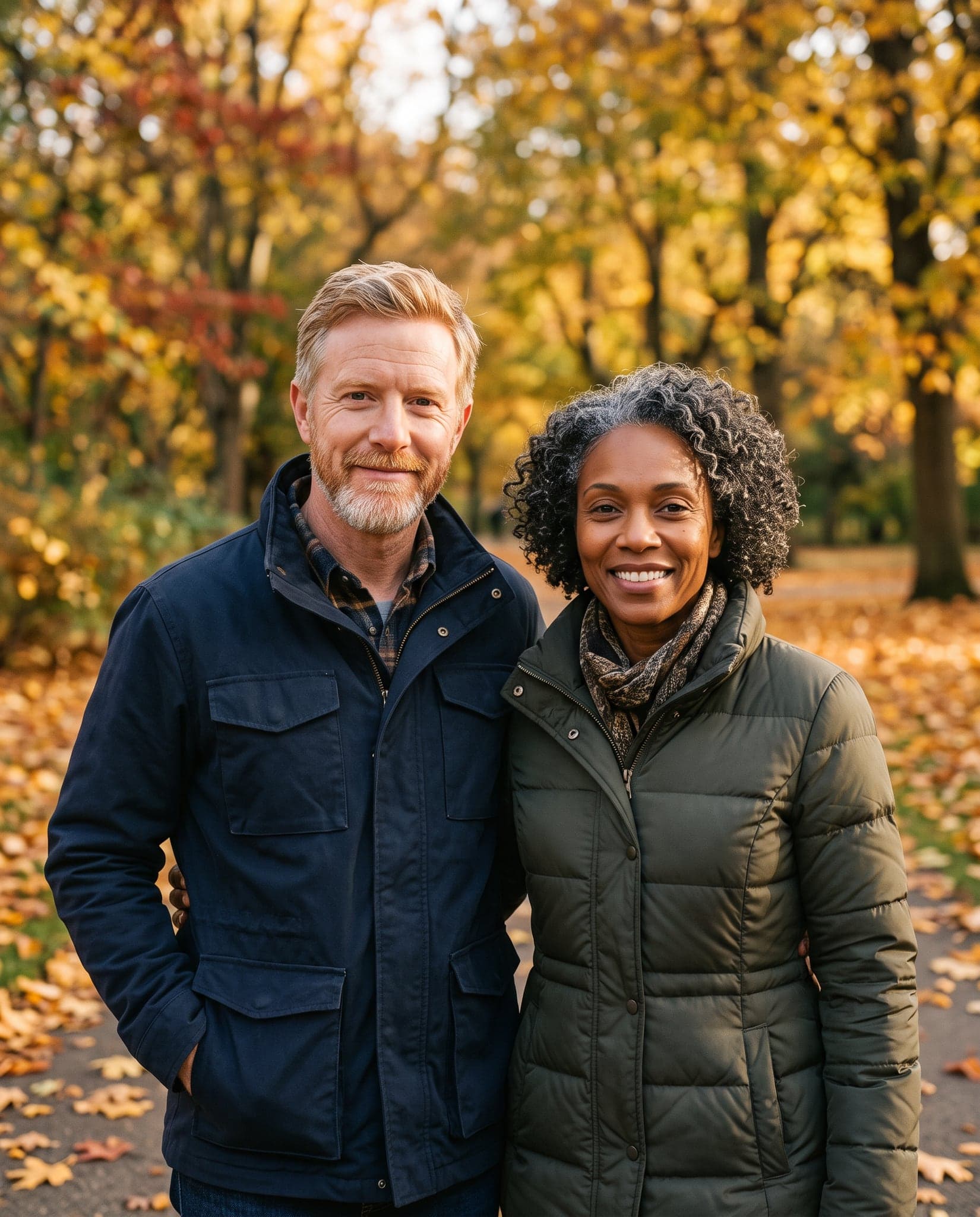
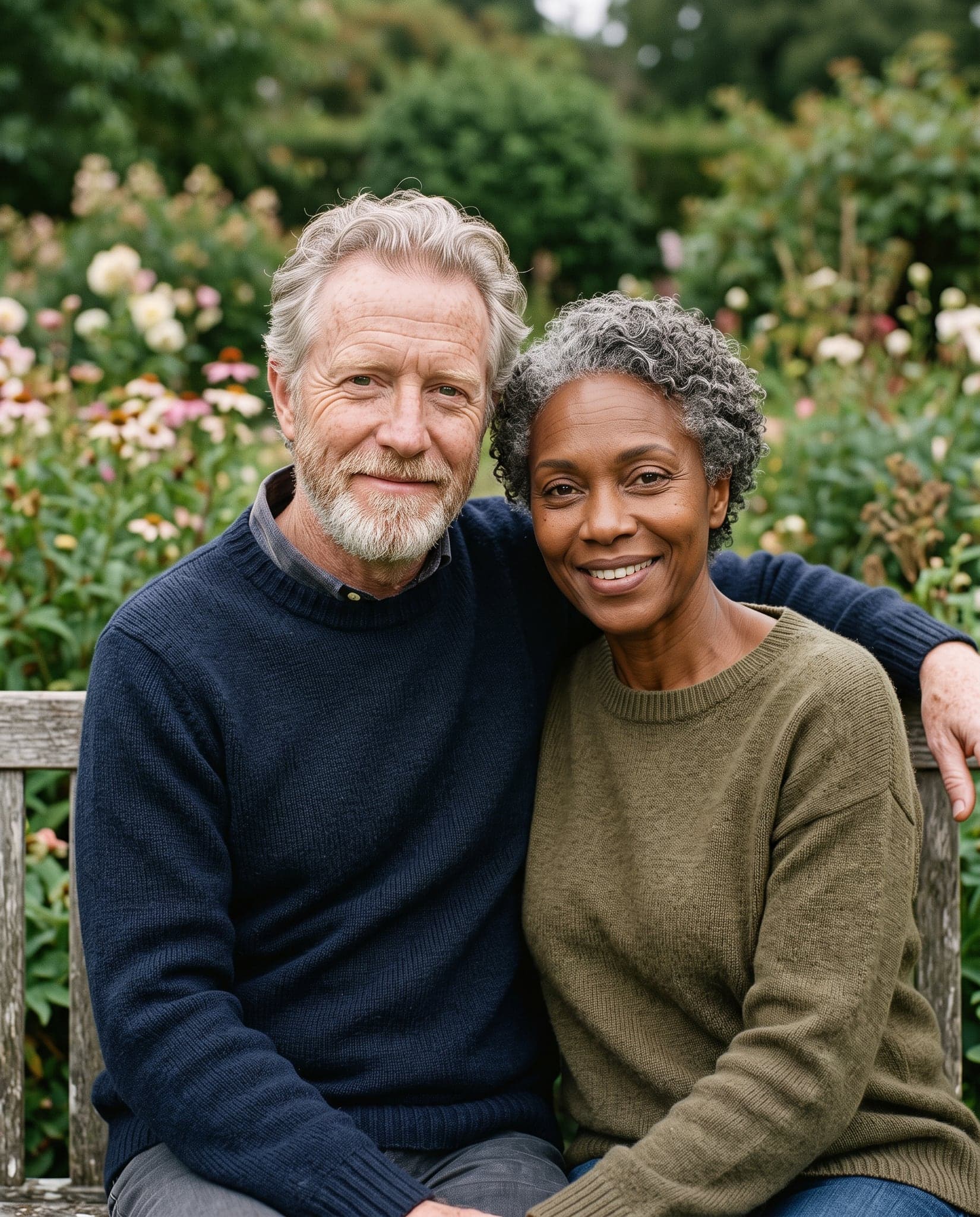
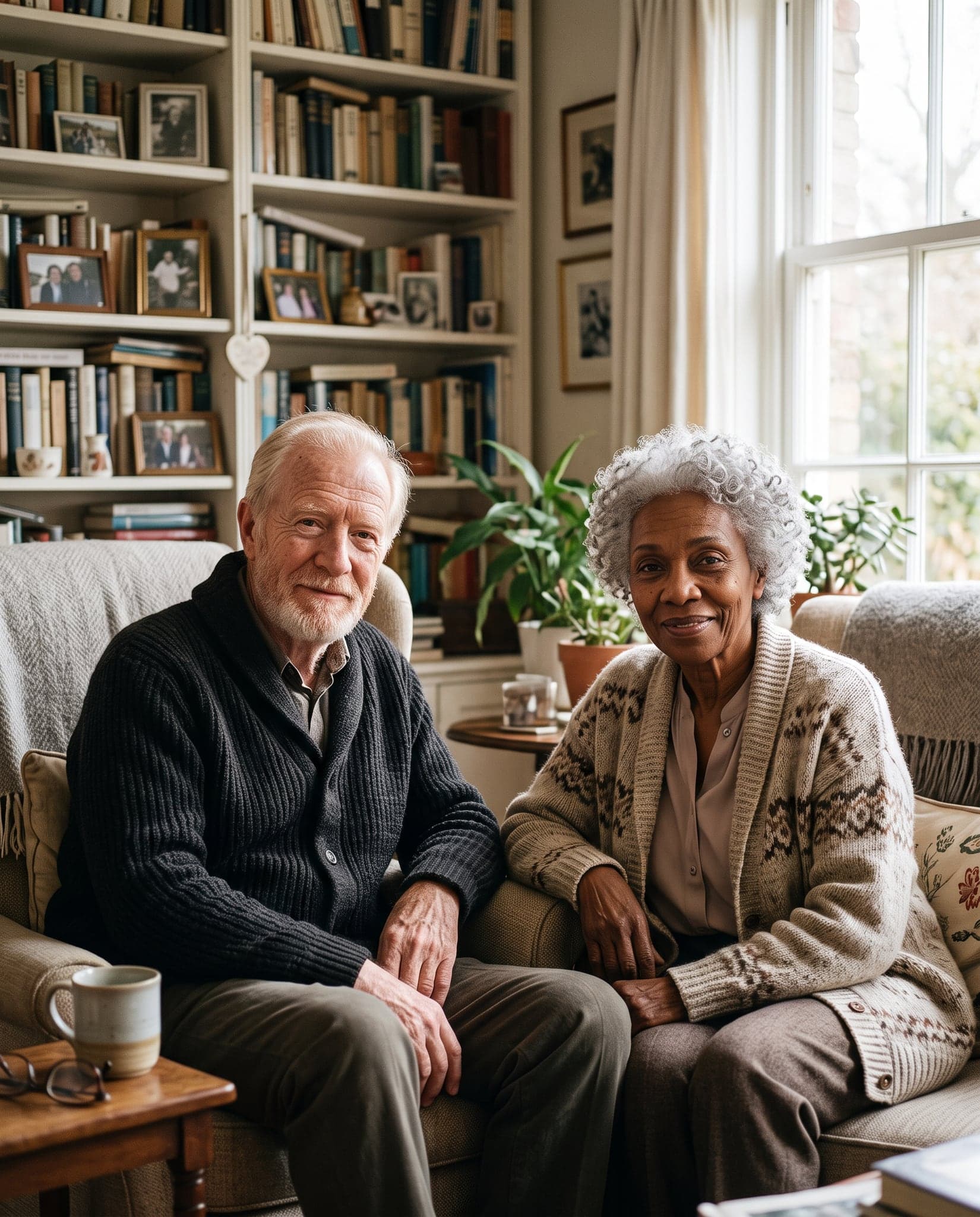
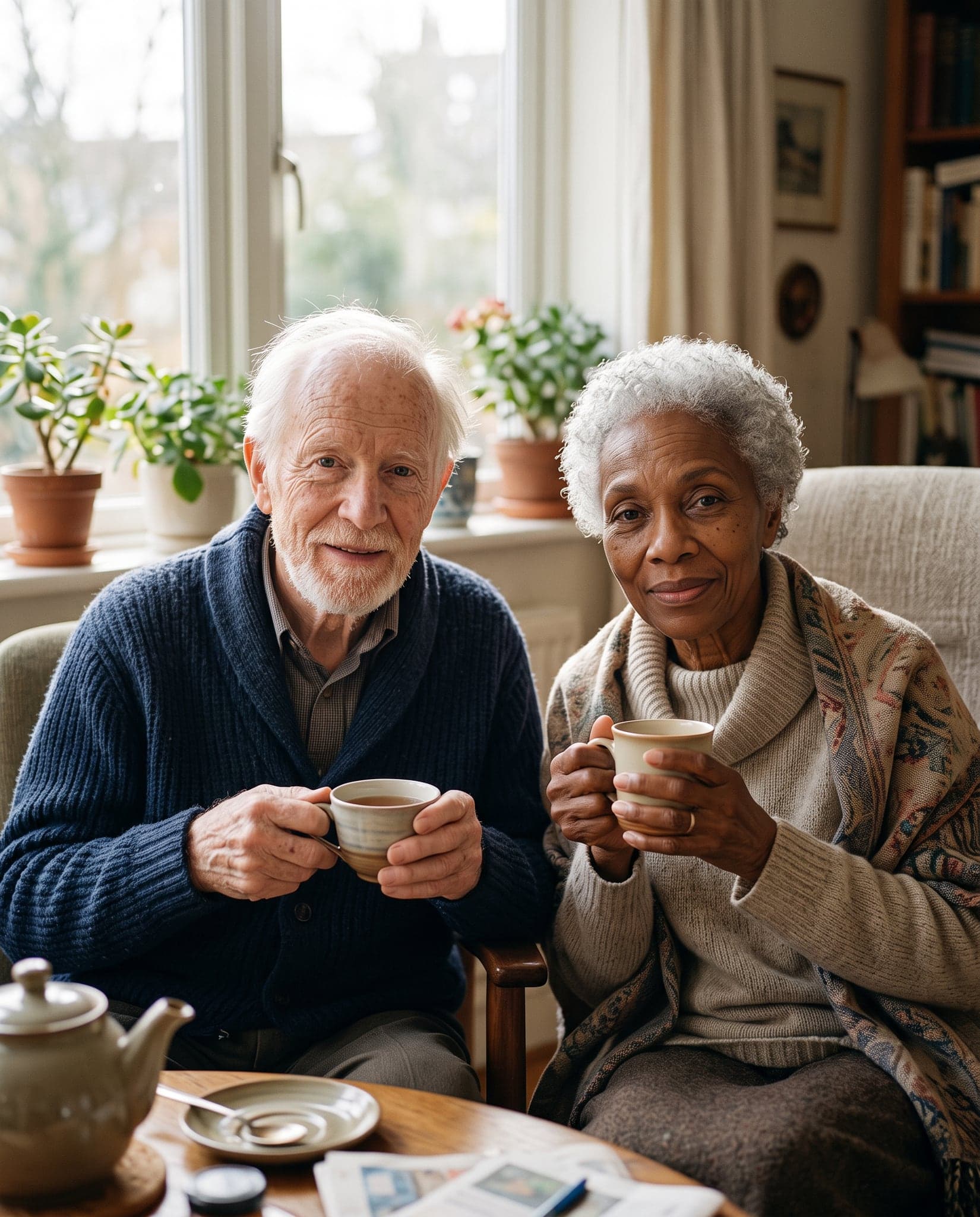
Example: one couple, from 50 to 90
These two people are AI-generated and fictional — not customers. Every picture below was made by this site on 2026-10-14 from the two separate photos on the left, exactly as a buyer gets them.
The short answer
To see what you will look like when you are older, upload a clear photo of your face here: FamilyPhotoLab shows you at about 50, 70 or 80 in a free watermarked preview in about 30 seconds, keeping your own face shape, eyes and skin tone. Add your partner’s photo to grow older together. For $9.90 once you get the whole set from 50 to 90, a black-and-white portrait and a 5-second video. Adults only; photos are deleted within 24 hours.
How AI age progression works here
Three steps in your browser. Nothing to install.
- 1
Add your photo
A clear photo of your face, plus your partner’s if you like: up to 2 photos, two people at most. No account for the first preview.
- 2
Pick an age
See yourself at about 50, 70 or 80 in about 30 seconds, watermarked.
- 3
Get the whole set
$9.90: you at 50, 60, 70, 80 and 90, a black-and-white portrait at 70 and a 5-second video.
- Grow old together. Add your partner and every picture shows the two of you at that age.
- Your own face. Face shape, eyes, nose, skin tone and hairline stay yours; only the years change.
- Ready to print. 2048 × 2560 pixels in a 4:5 shape, good for an 8x10 print.
- Speed. Preview in about 30 seconds, the set in about 90 seconds, the video in about 2 minutes.
- No subscription. One payment of $9.90 per set. Nothing renews.
- Private. Photos deleted within 24 hours, never used for training.
What changes at each age in the pictures
- About 50: a few gray hairs and light lines around the eyes.
- About 60: graying hair, laugh lines and softer skin.
- About 70: gray or white hair, natural wrinkles and some age spots.
- About 80 and 90: white hair, deeper wrinkles and gentler features.
Everyone ages differently: sun, smoking, sleep and genes all play a part. The pictures show typical signs of age on your own face, as a picture to enjoy or share, not as a forecast.
Price
Pay once for the set you want. No credits, no subscription.
Preview
Free
One watermarked picture at the age you pick, no sign-up. 2 more a day when you sign in with Google.
Try it freeFull growing-older set
$9.90
- · You (or the two of you together) at about 50, 60, 70, 80 and 90
- · A black-and-white portrait at 70
- · One 5-second video of the picture you pick
- · Full resolution, no watermark
Just this picture
$4.90
The preview you see, full resolution, no watermark.
Prices in US dollars before any sales tax. See pricing for refunds.
Questions people ask
Answers to what people ask before trying AI age progression.
How can I see what I’ll look like when I’m older?
Upload a clear photo of your face at the top of this page and pick an age: you get a free watermarked picture of yourself at about 50, 70 or 80 in about 30 seconds, with no sign-up. The full set shows you at about 50, 60, 70, 80 and 90 for $9.90 once.
Can we see ourselves grow old together?
Yes. Add your partner’s photo in the second slot, or one photo of just the two of you, and every picture shows you both together at that age: on a café terrace at 50, a garden bench at 70, by the window at 90.
Is there a free AI age progression tool?
The first preview here is free with no sign-up, and signing in with Google adds 2 more a day. The full set of six pictures and a 5-second video, without watermarks, is $9.90 once, or $4.90 for just the preview picture. No subscription.
Can ChatGPT do age progression?
General AI chatbots can edit a photo to look older if you write the instructions yourself, and the result depends on the prompt. Here the ages and scenes are prepared for you, every picture is drawn to keep the same face, and you get a whole set from 50 to 90, alone or as a couple, in about 90 seconds.
At what age does your face age the most?
There is no single age. Fine lines, thinner skin and a loss of fullness in the face usually become more visible from the 40s onward, and graying hair often speeds up in the 50s. Sun exposure, smoking and sleep make a big difference, which is why an AI picture is a guess, not a forecast.
How accurate is AI age progression?
It is an AI picture for fun, not a prediction of your health or of how you will actually age. It keeps your face shape, eyes, nose, skin tone and hairline and adds typical signs of age: gray hair, lines and softer skin. Clear, well-lit photos looking at the camera give the most faithful result.
Can I age a photo of my child?
No, this page is for adults only: photos of children are refused. To imagine a child growing up, our baby generator shows a future child at about 5 and 15 from a photo of each parent.
What happens to my photos?
Uploaded photos are used only to make your pictures and deleted within 24 hours. Your pictures stay available to you for 30 days, then they are deleted too. Nothing is used to train AI or shared with anyone. Photos of celebrities and other public figures are refused.
Wondering about the next generation instead? See what your baby could look like, or put everyone in one AI family portrait.
Your photos and privacy
Uploaded photos are used only for your pictures and deleted within 24 hours. Your pictures stay available to you for 30 days, then they are deleted too. Nothing is used to train AI or shared with anyone.
This page is for adults: photos of children are refused, and so are photos of celebrities and other public figures. Every scene is fixed and reviewed, and every picture passes our own safety check before anyone sees it. Read the acceptable use policy and the privacy policy.